Zum Produktinhalt springen
1 von 9

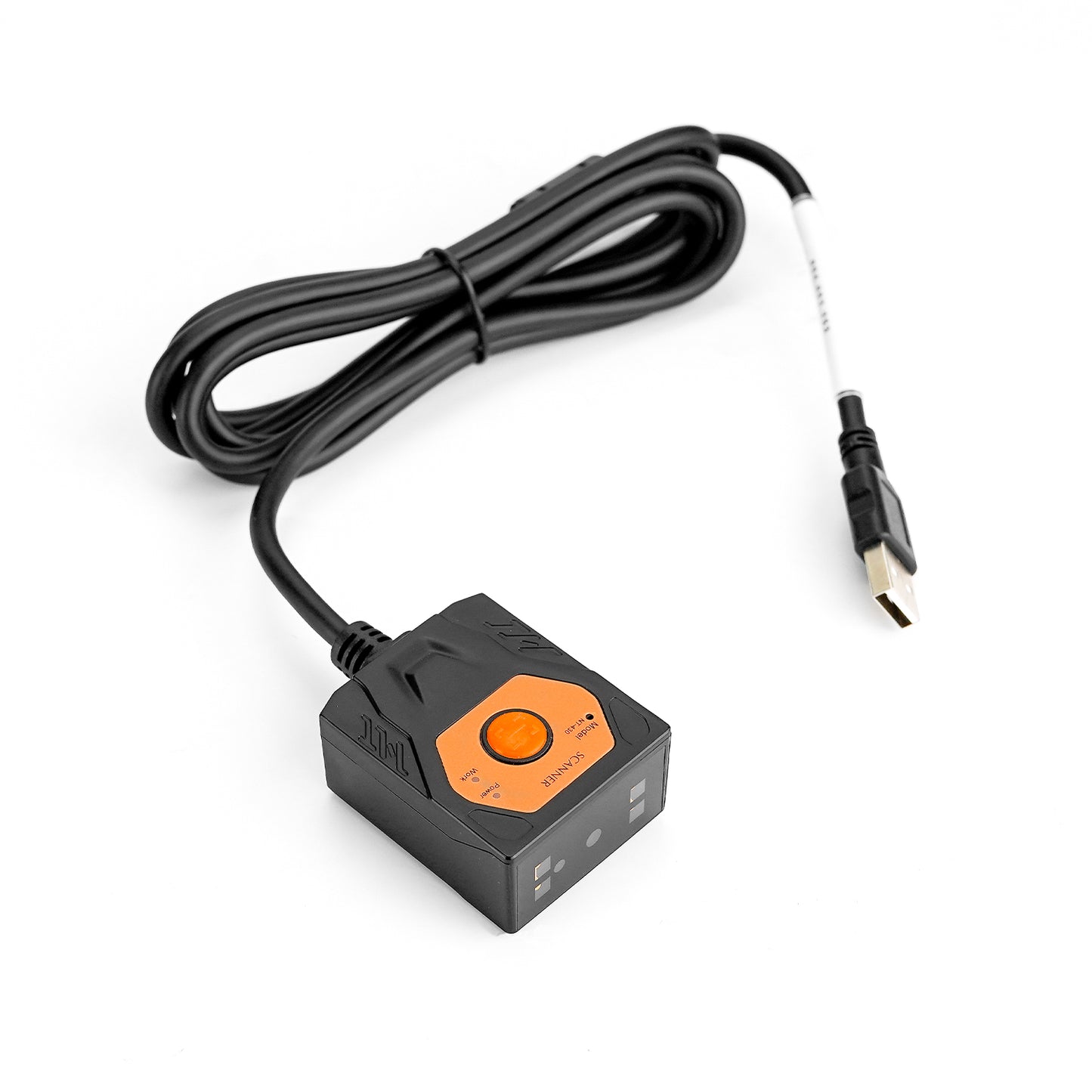
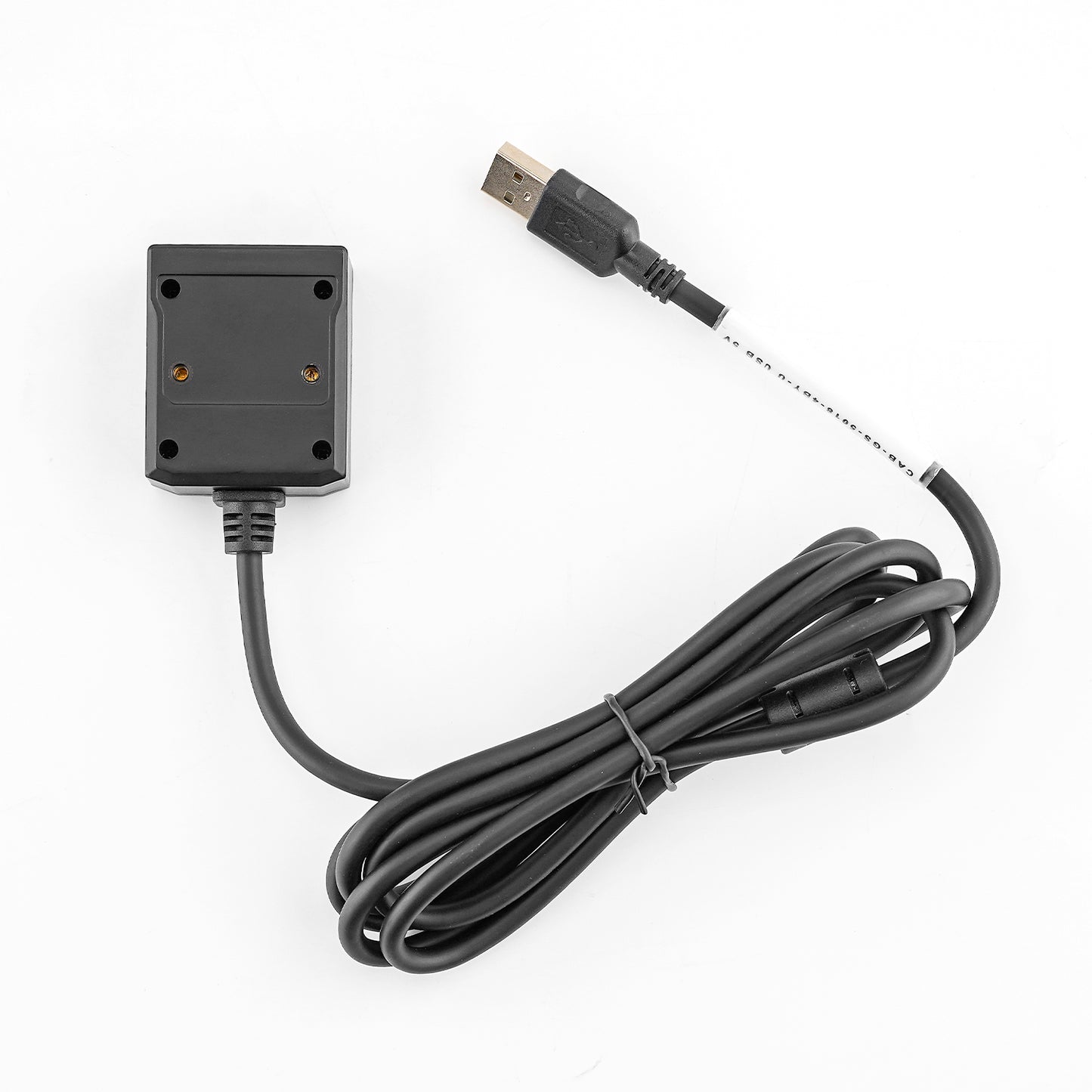
NT-480 Industrial Fixed Mount Barcode Scanner

Communication
Regulärer Preis $129.00 USD
Angebotspreis $129.00 USD Regulärer Preis $199.00 USD
Versand wird an der Kasse berechnet.

Buy at discounted prices

Minimum Qty Maximum Qty Discount
1 9 12% off
10 29 15% off
30 49 17% off
50 99 20% off
100 + 22% off

Small Batch Purchasing

We support small-batch purchasing, with flexible minimums starting from 5–10 units depending on the product. Pricing varies based on order quantity and the collaboration model. Please feel free to contact us for a quote.

Delivery and Shipping

Order Processing

Orders are typically processed within 1–3 business days.

Shipping Options

We offer two shipping methods: Standard Shipping and Expedited Shipping.

Small-batch orders are shipped by Expedited Shipping by default.

If an item is temporarily out of stock, production will be arranged immediately. Estimated shipping time is 1–10 days.

For full details, please review our Shipping Policy or contact us at any time.

30 Days Returns

If you’re not completely satisfied with your purchase from NETUM, you can return it for a replacement, exchange, or refund at any time within 30 days of purchase.
Read our return policy here.

Warranty

1 year warranty. No matter where you purchase it, we provide 24/7 customer support.

Overview

The NETUM NT-480 is a compact reader for fixed barcode scanning stations. Use automatic sensing, continuous scanning or an external trigger to match the equipment cycle. Red-dot aiming and warm white illumination assist setup for supported 1D and 2D barcodes.

Key Features

  • Fixed-mount 1D/2D imaging
  • Multiple trigger modes
  • USB and RS232 configurations described
  • Compact housing for equipment installation

NT-480 Barcode scanner specifications

See what this scanner can do.

Explore the performance, connectivity, power, and durability details that matter when choosing a scanner for your workflow.

Model
NT-480
Decode Capabilities
1D/2D
Scan Engine Technology
CMOS
Sensor Resolution
1080 (H) × 1280(V) 1.3Mhigh device
Illumination
4LED, 3000kWarm-white lightsource high brightnessReddotaiming
Aiming System
high brightnessReddotaiming
Motion Tolerance
Continuous mode: 0.5 m/s external triggermode: 1.0 m/s
Minimum Element Resolution
1D ≧3 mil; 2D ≧7 mil
Pitch / Skew / Roll Tolerance
Horizontal(H) 36°, Vertical(V) 43°
Depth of Field
Code39 (3 mil): 45 ~150 mm Code39 (5 mil): 30 ~255 mm EAN-13 (13 mil): 30 ~500 mm
Supported Symbologies
UPC A, UPC E, EAN 8, EAN 13, Code 128, Code 39, Code 93, Code 32, Code11, Codabar Plessey, MSI, Interleaved 2 of 5, IATA 2 of 5, Matrix 2 of 5, Straight 2 of 5, Pharmacode RSS-14, RSS-14 Expanded, RSS-14 Limited, Composite Code PDF 417, Micro PDF 417, Data Matrix, QR, Micro QR, Aztec, MaxiCode
Trigger Modes
Presentation mode, mode, mode (external trigger)
View all specifications Show fewer specifications
Processor
ARM Cortex-A7, 1.2Ghigh CPU, MIPI interface
Connectivity
Wired
Host Interfaces
USB, RS232
Operating Voltage
5VDC
Dimensions (L × W × H)
49(W) × 41 (D) × 24(H)
Weight
Approx. 111 g, CableWeight
Enclosure Material
ABS, heat resistance 100–110°C
Cable Length
cable gauge: 5 mm Cable length: 1.8 m
Cradle / Stand Included
No
Operating Temperature
-10°C~+50°C
Storage Temperature
-40°C~+70°C
Relative Humidity
5%~95% (non-condensing)
Ambient Light Immunity
0~8,600 lux (light) 0~100,000 lux (light)

Downloads

Manuals, software, and developer resources selected for this exact model.

1 resources

Will this barcode scanner work with my computer, mobile device, or POS system?

Usually, yes—if the connection interface matches your device or the scanner supports USB HID keyboard mode. Some POS systems only accept approved USB VID/PID values, so they may reject an otherwise compatible HID scanner. Check which type your POS uses, or send us the POS model and software name before ordering.

Which barcodes can it read, and can it scan from a phone or computer screen?

Barcode support varies by model. Devices with a CMOS scanning engine can scan barcodes on a computer screen; otherwise, they cannot.

How do I connect the scanner?

For a wired scanner, connect the USB cable and start scanning—most models are ready to use right away. For a wireless scanner, follow the model’s manual to connect by 2.4G receiver or Bluetooth. Pairing steps can differ between models, so use the correct guide in Downloads.

Can I scan directly into Excel, inventory software, or a POS system?

Yes, in most cases. When the scanner is using HID keyboard mode, scanned data appears wherever the cursor is active, such as in Excel, inventory software, or a POS input field. Workflows that use serial communication, an API, or an SDK may need extra setup. Check the communication modes in the Specifications and any available software or SDK in Downloads.

The scanner beeps, but no data appears—what should I check?

A beep usually means the barcode was read, but the data is not reaching the active field. Click inside a blank field in Notepad, TextEdit, or your POS and scan again. Then check the USB cable, 2.4G receiver, or Bluetooth connection and confirm the correct interface mode. If it still does not work properly, please contact us and provide the scanner model, a description of the problem, and the operating system and application name.

Barcode scanners for your business

Planning a rollout, replacement, or bulk purchase? Share your requirements and we’ll help you choose the right scanner and configuration.

Request a quote

Tell us the model(s), quantity, use case, barcode types, connection or integration needs, customization requirements, and delivery destination. We’ll review the details and recommend a suitable solution.

If you are unsure, tell us what and where you need to scan.

Include your application, barcode types, connection or integration needs, customization requests, and target delivery date.